.svg&w=3840&q=75)



Dashify Flutter Dashboard: The Complete Admin Panel Template for Web & Mobile Apps
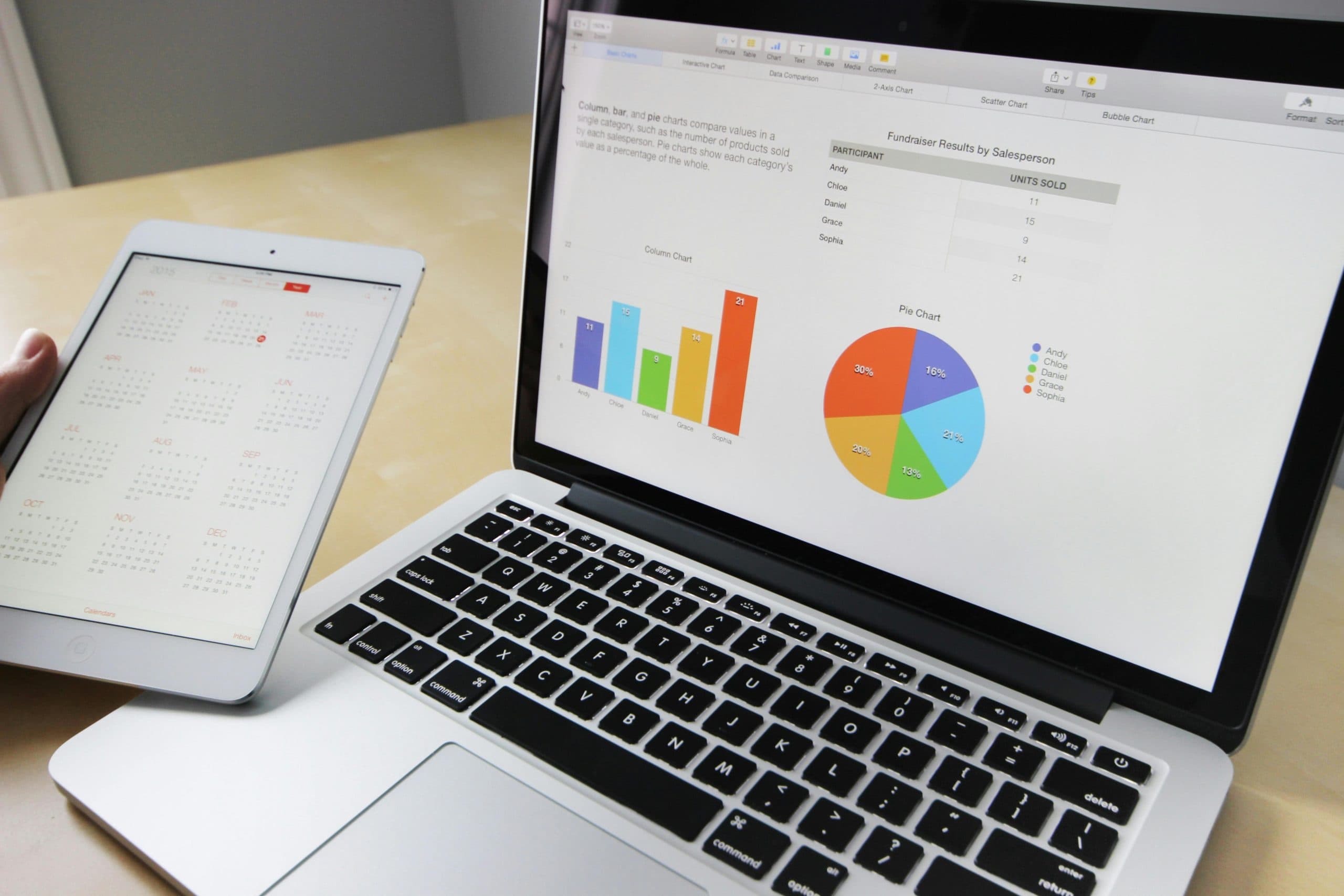
Discover how Dashify, developed by Flexion Infotech, simplifies admin panel development for web and mobile apps with a powerful Flutter dashboard template.
Introduction
Behind every successful app or digital platform, there is a powerful admin panel working quietly in the background. From managing users and tracking analytics to controlling content and monitoring system performance, admin dashboards play a critical role in modern software products.
Yet building an admin panel from scratch can be time-consuming and expensive. Developers often spend weeks designing layouts, integrating analytics tools, and building management features before they even start working on the core application.
That’s where Dashify comes in.
Developed by Flexion Infotech, Dashify is a complete Flutter-based admin dashboard template designed to accelerate development for web and mobile applications. It provides a modern interface, ready-to-use components, and scalable architecture that helps teams build powerful admin systems faster.
In this article, we’ll explore what makes Dashify a valuable solution, how it helps developers and businesses save time, and why Flutter dashboards are becoming the preferred choice for modern applications.
Why Modern Applications Need Powerful Admin Dashboards
Every application needs a control center. Whether it's an ecommerce platform, fintech product, SaaS tool, or content platform, the admin dashboard is where operations happen.
Without a structured dashboard, managing data becomes chaotic.
An effective admin panel allows teams to:
Manage users and permissions
Monitor business performance
Track sales, traffic, or system activity
Control content and product listings
Generate reports and insights
The demand for such tools continues to grow.
Industry data shows:
90% of digital platforms rely on centralized dashboards to manage operations.
The global web application development market is expected to reach $154 billion by 2030.
Developers spend up to 30% of project time building admin interfaces.
Using pre-built UI frameworks can reduce development time by 40–50%.
This is why ready-made dashboard templates like Dashify are becoming essential for development teams.
What Makes Dashify a Complete Flutter Dashboard Solution
Dashify is not just another UI template. It is designed as a full-featured admin panel framework that developers can easily customize for different projects.
Flutter, the technology behind Dashify, is also a major advantage. According to developer surveys, Flutter is now used by over 46% of developers for cross-platform development.
Dashify takes advantage of Flutter’s capabilities to deliver a fast and flexible dashboard experience.
Key highlights of Dashify include:
1. Modern UI and Responsive Design
Dashify provides a clean and modern interface designed for both web and mobile environments. The layout adapts smoothly to different screen sizes, ensuring usability across devices.
2. Pre-Built Components
Developers can access ready-made UI elements such as charts, widgets, tables, and forms. These components significantly reduce development time.
3. Easy Customization
Dashify allows developers to easily modify colors, layouts, and modules to match their application’s branding.
4. Scalable Architecture
The template is structured to support large-scale applications, making it suitable for startups as well as enterprise-level platforms.
5. Flutter Integration
Since Dashify is built with Flutter, it enables developers to create admin panels that work across web, desktop, and mobile platforms.
Together, these features make Dashify a flexible solution for building modern management systems.
Key Benefits of Using Dashify for App Development
Using a ready-to-use dashboard template offers clear advantages for development teams and businesses.
Here are some of the biggest benefits:
Faster Development
Instead of building an admin interface from the ground up, teams can start with a fully structured dashboard. This dramatically reduces development time.
Consistent User Experience
Dashify provides standardized components and layouts, ensuring a consistent design across the entire platform.
Reduced Development Costs
When development time decreases, project costs naturally drop as well.
Better Data Visualization
Dashboards are most useful when they present data clearly. Dashify includes integrated charts and visualization tools that help administrators quickly understand performance metrics.
Improved Productivity
With built-in management tools, businesses can monitor operations more efficiently.
Some common modules developers build using Dashify include:
User management systems
Sales and revenue dashboards
Inventory management panels
Content management systems
Analytics and reporting tools
These capabilities make Dashify suitable for a wide range of digital products.
Example Use Case: Building an Ecommerce Admin Panel
To understand Dashify’s practical value, consider a growing ecommerce startup.
The company needed an admin system that could manage:
product listings
inventory levels
customer accounts
order tracking
revenue analytics
Initially, the development team estimated that building the admin dashboard from scratch would take nearly six weeks.
By implementing Dashify, the team was able to launch a functional admin panel in less than three weeks.
Key improvements included:
Real-time sales dashboards
centralized order management
visual product analytics
simplified user management
As a result, the startup could focus more on improving its customer-facing features instead of spending time on backend interface development.
This kind of efficiency is exactly why tools like Dashify are gaining popularity among development teams.
Why Flexion Infotech Built Dashify
The goal behind Dashify was simple: help developers and businesses build powerful dashboards without unnecessary complexity.
As a technology company, Flexion Infotech works with startups and enterprises across industries including fintech, ecommerce, real estate, and SaaS platforms.
During multiple development projects, one common challenge kept appearing: teams repeatedly rebuilding the same admin panel features from scratch.
Dashify was created to solve this problem.
By offering a structured Flutter dashboard template, Flexion Infotech enables developers to skip repetitive work and focus on building the features that make their products unique.
This approach improves development speed, product quality, and scalability.
Conclusion
Modern digital platforms cannot function without a powerful admin dashboard. From monitoring operations to managing users and analyzing performance, admin panels are essential for any successful application.
However, building these systems from scratch can consume valuable development time.
That’s why solutions like Dashify are becoming increasingly valuable.
Developed by Flexion Infotech, Dashify provides a complete Flutter dashboard template designed to simplify admin panel development for web and mobile apps. With its modern UI, ready-to-use components, and scalable architecture, it enables teams to build powerful management systems faster.
For developers looking to accelerate their projects and businesses aiming to launch scalable applications, Dashify offers a practical and efficient starting point.
If you’re planning to build a digital product with a robust backend management system, Dashify can help you get there faster.
Frequently Asked Questions
1. What is Dashify?
Dashify is a Flutter-based admin dashboard template developed by Flexion Infotech for managing web and mobile applications.
2. Who should use Dashify?
Developers, startups, and businesses that need a customizable admin panel for their digital platforms.
3. Can Dashify be used for both web and mobile apps?
Yes. Since it is built using Flutter, Dashify supports cross-platform development.
4. Does Dashify support customization?
Yes. Developers can easily modify layouts, colors, and modules to match their project requirements.
5. Why choose a Flutter dashboard template?
Flutter enables faster development, cross-platform compatibility, and consistent UI performance across devices.

Digital Growth Stories
View All


Start the Conversation Let’s Build Something Powerful
What to expect after you reach out?
1. Initial Discussion
Share your requirement with our team, and we will review your business needs to understand the right solution for you.
2. Discovery Call
Connect with our experts to discuss your goals, challenges and project expectations in detail.
3. Solution Planning
Our team will analyze your requirements and suggest the most suitable technology approach,features and execution plan.
Vishal Kathiriya
Director of Growth