.svg&w=3840&q=75)



How to Build AI Agents for Business Automation: A Beginner's Guide
How to Build AI Agents for Business Automation: A Beginner's Guide
AI agents are software systems that can understand a goal, make decisions, and take action without a human clicking every button along the way. If you are running a business and drowning in repetitive manual work, an AI agent is not a futuristic concept. It is a practical tool you can build and deploy within weeks, not years.
This guide walks through exactly how to build one, what mistakes to avoid, and why most businesses get the first attempt wrong.
What Is an AI Agent, Really?
An AI agent is different from a simple automation script. A script follows fixed rules: if this happens, do that. An AI agent reasons through a task, decides which tools or data sources it needs, and adjusts its actions based on context.
For example, a basic automation might send a follow-up email when a form is submitted. An AI agent goes further. It can read the form response, judge the urgency of the request, pull relevant customer history, draft a personalized reply, and flag it for approval only if something looks unusual.
This is the core difference between automation and intelligent automation, and it is the exact gap that most businesses are stuck in today.
Why Businesses Are Moving From Manual to Intelligent Systems
Every growing business follows a similar pattern. Work starts manual. As volume increases, teams introduce basic automation to survive. But basic automation has a ceiling. It cannot handle exceptions, judgment calls, or unstructured data like emails, PDFs, or customer messages.
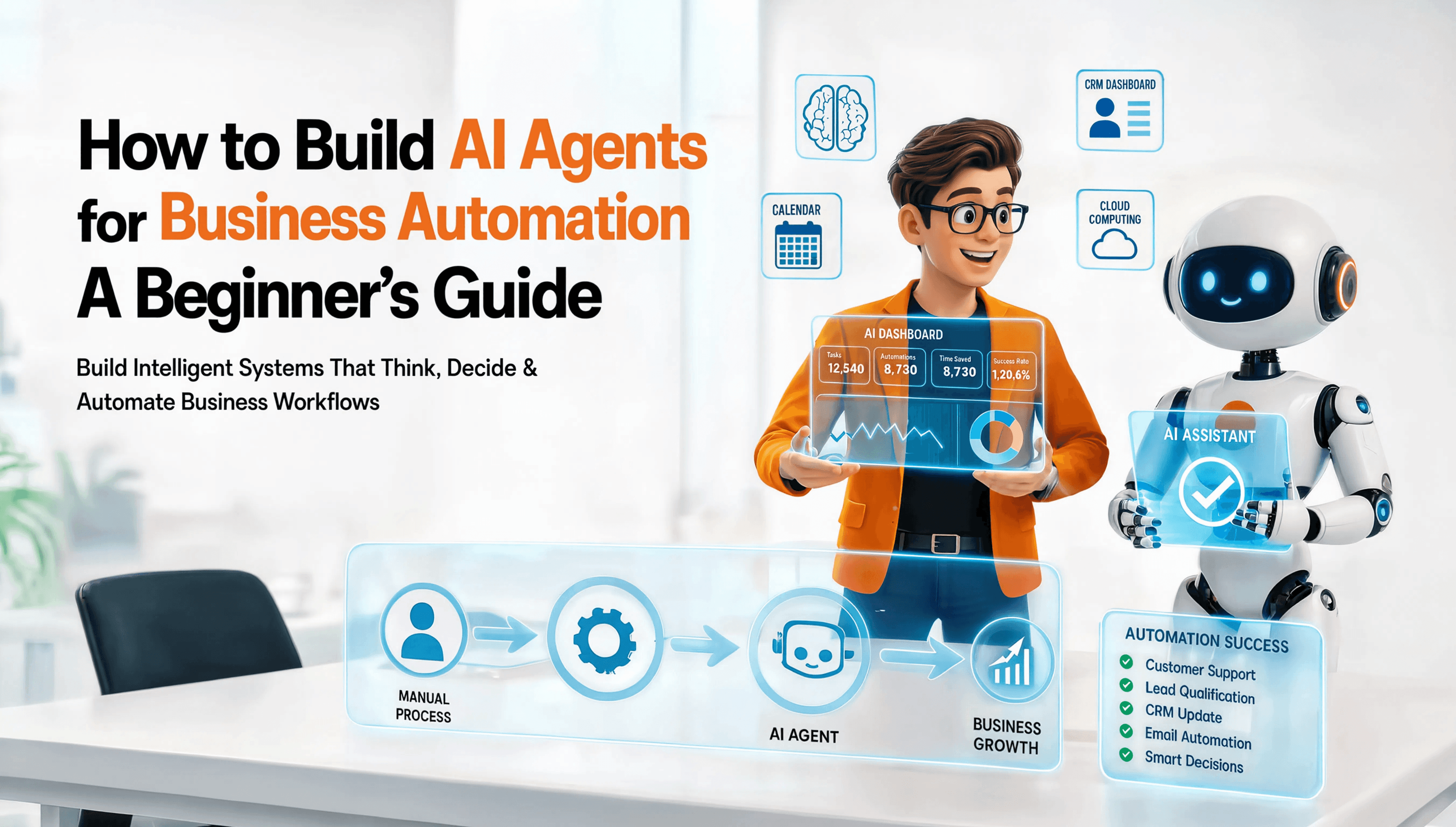
This is where AI agents step in. They handle the messy, judgment-based work that rigid automation cannot touch. At Flexion Infotech, this progression is treated as a structured journey: Manual to Automated to Intelligent to Scalable. Each stage builds on the last, and skipping straight to "intelligent" without solid automated foundations is one of the most common reasons AI agent projects fail.
Step 1: Define the Job the Agent Will Actually Do
Do not start by asking "how do I build an AI agent." Start by asking "what decision or task in my business currently wastes the most human hours."
Good candidates for a first AI agent:
- Sorting and responding to routine customer inquiries
- Qualifying inbound leads based on defined criteria
- Extracting data from invoices, forms, or emails
- Scheduling and rescheduling based on availability rules
- Monitoring internal systems and flagging anomalies
A common mistake is trying to build one agent to handle everything. That is not how reliable systems work. Narrow scope first. Expand later.
Step 2: Map the Decision Logic Before Writing Any Code
Before any technical work begins, write down the exact decisions the agent needs to make. Use plain language, not code.
Example for a lead-qualification agent:
- Read the inbound lead form.
- Check company size, budget range, and stated need.
- If the lead matches ideal criteria, route it to sales immediately.
- If the lead is a partial match, send it to a nurture sequence.
- If the lead is spam or irrelevant, discard it and log the reason.
This logic map becomes the blueprint your AI agent will follow. Skipping this step is the single biggest reason AI agent builds go over budget or fail outright. Businesses jump straight into tools and platforms without knowing what "correct" looks like for their own process.
Step 3: Choose the Right Model and Architecture
Not every AI agent needs the most powerful model available. Matching the model to the task saves cost and improves speed.
- Simple classification or routing tasks: smaller, faster models work fine.
- Complex reasoning, multi-step tasks, or unstructured data: larger reasoning models are worth the cost.
- Agents that need memory across conversations: require a vector database or structured memory layer, not just a model call.
Architecture also matters more than most beginners realize. A single AI agent calling a single model is fine for narrow tasks. But most real business workflows need a small team of agents working together, each with a specific role, connected through a shared workflow. This is called a multi-agent system, and it is increasingly the standard for anything beyond a single, simple task.
Step 4: Connect the Agent to Real Business Data and Tools
An AI agent with no access to your actual business systems is just a chatbot. Real value comes from connecting the agent to:
- CRM systems (to check or update customer records)
- Email and messaging platforms (to send or read communications)
- Internal databases (to pull order status, inventory, or account details)
- Calendars and scheduling tools
- Document systems for invoices, contracts, or reports
This connection layer is usually done through APIs or protocols designed specifically for AI tool access. This is also where most in-house attempts break down. Connecting systems securely, handling authentication, and managing rate limits requires proper software engineering, not just prompt writing.
Step 5: Build in Guardrails Before You Build in Autonomy
This is the step most beginners skip, and it is the most important one.
An AI agent that can take action in your business needs boundaries. Before you let it send emails, update records, or make decisions independently, define:
- What actions require human approval versus what can run automatically
- What happens if the agent is uncertain or the input is unclear
- How errors get logged and reviewed
- A clear rollback plan if the agent takes an incorrect action
Businesses that skip guardrails end up with agents that either do nothing useful because they are too restricted, or agents that cause real damage because they were given too much freedom too fast. Autonomy should be earned gradually as the agent proves reliable, not granted on day one.
Step 6: Test With Real Scenarios, Not Just Happy Paths
Most AI agent testing only checks whether the agent works when everything goes right. That is not enough. Test with:
- Incomplete or malformed data
- Edge cases that fall outside your original logic map
- Conflicting instructions
- High volume, to see how the agent behaves under load
If the agent fails silently or takes a wrong action without flagging it, that is a design flaw, not a minor bug. Fix it before deployment, not after a customer notices.
Step 7: Deploy, Monitor, and Improve
Launching the agent is not the finish line. Every AI agent needs ongoing monitoring:
- Track how often the agent needs human correction.
- Review edge cases it handled poorly.
- Update the logic map as your business processes change.
Treat the agent as a team member who is still learning, not a finished product you can forget about.
Why Most In-House AI Agent Attempts Stall
Businesses without dedicated engineering support often get stuck at Step 3 or Step 4. Reasoning logic is easy to sketch out on paper. Connecting that logic securely to real business systems, choosing the right model architecture, and building proper guardrails is where technical depth actually matters.
This is the exact gap Flexion Infotech was built to close. As an AI and software development company working with 20+ global clients across real estate, textile, fintech, and travel sectors, Flexion Infotech has taken businesses through the full Manual to Automated to Intelligent to Scalable journey, with 100+ products delivered and over 45% of client operations automated on average. The difference between a business that builds a working AI agent and one that abandons the attempt halfway usually comes down to whether they had the right technical foundation from the start.
Frequently Asked Questions
What is the difference between an AI agent and a chatbot? A chatbot responds to messages based on conversation. An AI agent takes action, connecting to real systems, making decisions, and completing tasks without constant human input.
Do I need to know how to code to build an AI agent? Not necessarily. Defining the logic and decision map does not require coding. But connecting the agent to real business systems, securing data, and managing model architecture typically requires professional development support.
How long does it take to build a working AI agent for a business? A narrow, well-scoped agent can typically be built and tested within a few weeks. Complex multi-agent systems handling several workflows take longer, depending on integration complexity.
Is building an AI agent expensive for a small or medium business? Cost depends on scope. A single, well-defined agent solving one clear problem is far more affordable than businesses assume, especially compared to the ongoing cost of manual labor for repetitive tasks.
Can AI agents make mistakes? Yes. This is why guardrails, human approval steps, and monitoring are essential parts of any responsible AI agent build, not optional extras.
Final Word
Building an AI agent is not about chasing a trend. It is about identifying real friction in your business and solving it with a system that can reason, decide, and act. Start narrow, build the logic before the code, put guardrails in place early, and treat deployment as the beginning of the work, not the end.
If your business is ready to move from manual processes to intelligent, scalable systems, Flexion Infotech can help you build it properly from day one. Reach out at [email protected] or connect on WhatsApp at +91 90237 34827 to discuss your specific automation needs.

Digital Growth Stories
View All


Start the Conversation Let’s Build Something Powerful
What to expect after you reach out?
1. Initial Discussion
Share your requirement with our team, and we will review your business needs to understand the right solution for you.
2. Discovery Call
Connect with our experts to discuss your goals, challenges and project expectations in detail.
3. Solution Planning
Our team will analyze your requirements and suggest the most suitable technology approach,features and execution plan.
Vishal Kathiriya
Director of Growth