


WhatsApp Bulk Messaging for Marriage Invitation: Safe Guide
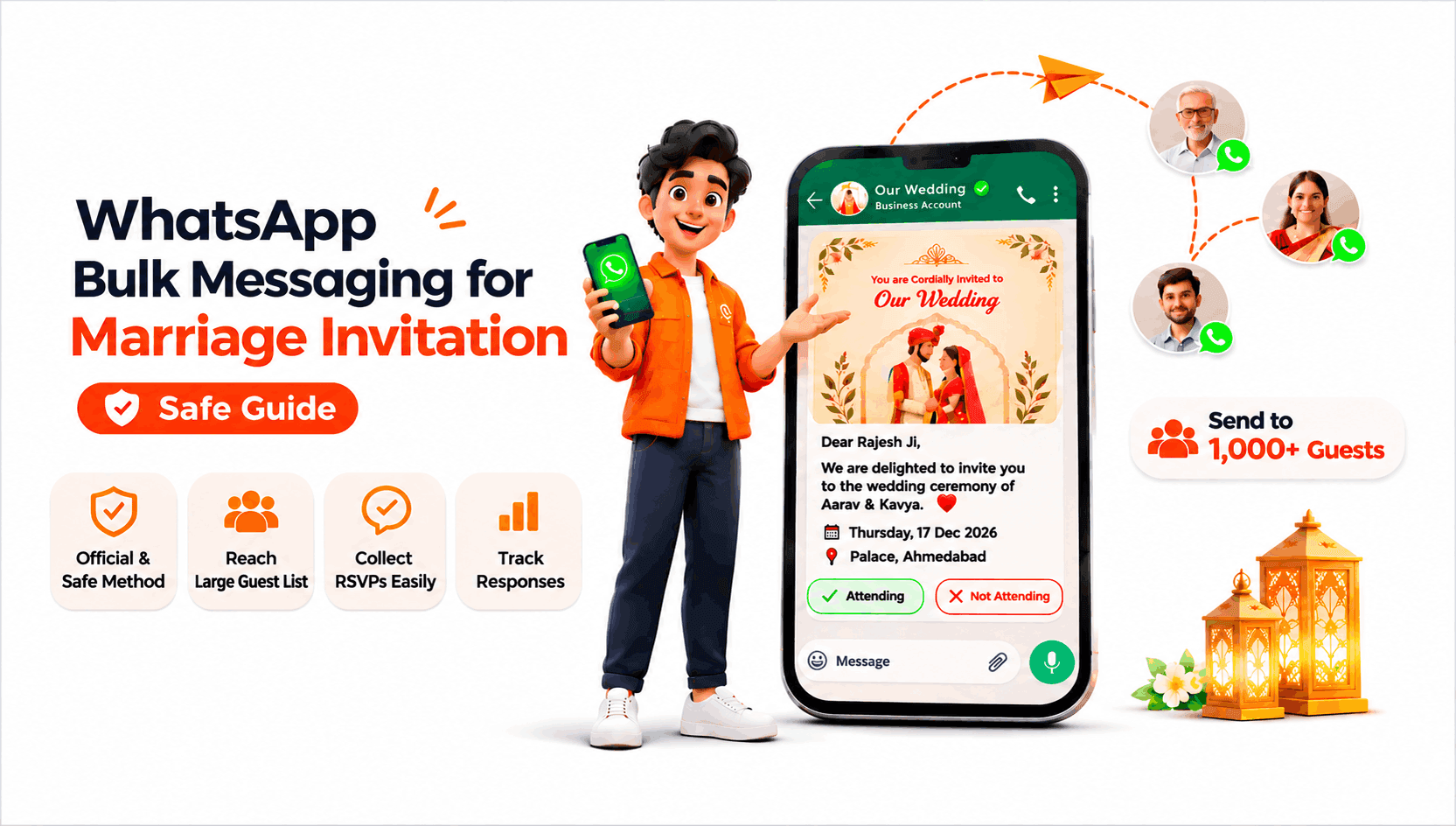
WhatsApp bulk messaging for marriage invitation works safely only through the WhatsApp Business Platform (the official API), with guests who agreed to hear from you and a pre-approved invite template. Broadcast lists on a normal number cap out at 256 contacts, and unofficial bulk-sender apps put the family's number at risk of a ban.
The timing matters. India's trade body CAIT estimated about 46 lakh weddings in the November to mid-December 2025 season alone (CAIT via Angel One, 2025), so thousands of families hit the same wall in the same weeks. This guide covers the three ways to send invites, the limits on each, a worked cost for a 1,200-guest list, and how to collect RSVPs without chasing people.
Key takeaways
- A normal WhatsApp or WhatsApp Business app broadcast reaches at most 256 people per list, and only those who saved your number.
- For 500+ guests, use the WhatsApp Business Platform with an approved template, opt-in from guests, and a sending plan that respects the daily limit.
- New API numbers start at 250 recipients a day. Start three weeks early.
- Sending the invite plus one reminder to 1,200 guests costs roughly ₹2,400 in Meta fees at current Indian rates, before provider charges.
- Quick-reply buttons ("Attending", "Not attending") turn replies into a headcount you can hand to the caterer.
Can you send marriage invitations in bulk on WhatsApp?
Yes, but the method decides how many guests actually receive the card. There are three routes, and they behave very differently once the guest list passes a few hundred names.
- Broadcast lists in the WhatsApp or WhatsApp Business app. Free and familiar, but each list holds up to 256 contacts and only people who saved your number get the message (WhatsApp Help Center).
- Unofficial "bulk sender" software, browser extensions and modified apps such as GB WhatsApp. They push hundreds of messages from a personal number by automating WhatsApp Web. This breaks WhatsApp's terms and is the pattern its spam systems look for.
- The WhatsApp Business Platform, also called the WhatsApp Cloud API. A business-verified number sends approved message templates to any number that opted in, with delivery and read reports for every guest.
For a family wedding with 150 close relatives who all have the father's number saved, route one is fine. For 800 guests across two families, office colleagues and the groom's college friends, many of whom never saved anyone's number, only route three reaches everyone without risk to a personal account. Most families get route three through a wedding planner, an invitation studio or a WhatsApp automation provider rather than setting up an API account themselves.
Why do bulk wedding invites fail on a normal WhatsApp number?
Bulk invites from a personal number fail for two reasons: the app's own delivery rules, and WhatsApp's automated ban systems. Families usually find out on the day the cards go out, when relatives call to ask why they never got one.
The delivery rule is simple. A broadcast message reaches a contact only if that contact has your number in their phone's address book (WhatsApp Help Center). Your phone shows the broadcast as sent, so nobody notices the gap until someone complains. Splitting 900 guests into four lists does not fix this, because the saved-number rule applies to every list.
The ban risk is bigger. WhatsApp has said that more than 95% of the Indian accounts it bans are removed for unauthorised automated or bulk messaging (TechRadar, 2021). The scale is large: over 99 lakh Indian accounts were banned in January 2025 alone (Inc42, 2025). A personal number that suddenly sends the same PDF to 600 people who never chatted with it looks exactly like spam. Each "report" or "block" from a guest who did not recognise the number makes it worse.
Losing that number a week before the wedding means losing every vendor chat, the caterer's menu thread and the photographer's schedule. That cost is far higher than any bulk tool fee.
How does the WhatsApp Business Platform send invites at scale?
The WhatsApp Business Platform sends invites as message templates: a fixed message layout that Meta reviews before you can use it. Once approved, the same template goes to every guest with their name and family details filled in, from a verified business number that shows a display name instead of a bare phone number.
A wedding invite template usually has four parts. Meta's template format allows a media header (image, video, GIF or PDF document), a body of up to 1,024 characters, a short footer, and buttons (Meta for Developers). The header carries the e-card or the PDF invite. The body holds the couple's names, dates, venues and a map link. Quick-reply buttons collect the RSVP.
Two platform rules shape the sending plan:
- Opt-in. Meta requires businesses to get opt-in before sending business-initiated messages outside the 24-hour customer service window (Meta for Developers). For a wedding, that can be a "Reply YES to get the invite on WhatsApp" message from the family, a short form at the engagement function, or the guest messaging the number first.
- Messaging limits. A new business portfolio can message 250 unique people outside the service window in a rolling 24 hours. The limit rises to 2,000, then 10,000 and 100,000 as the number keeps good quality and uses at least half its limit within 7 days (Meta for Developers).
The second rule is the one families do not plan for. A 1,500-guest list cannot go out in one evening from a brand-new number.
How to send WhatsApp marriage invitations to 1,000+ guests, step by step
Plan about three weeks from the first message to the last reminder. That window covers template approval, the daily limit on a new number, and a reminder before the main function.
1. Clean the guest list
Collect names, mobile numbers with country code, the side (bride or groom), and which functions each guest is invited to. Mehendi, sangeet and reception lists are rarely the same, and one template per function avoids sending the haldi timing to office colleagues. Remove duplicates; joint families often share one number.
2. Get opt-in from guests
Send a short personal message from a family member's phone to close relatives saying the formal invite will come from the wedding's WhatsApp number, and add the number's display name. For everyone else, a QR code on a printed save-the-date or a link in the first family message lets guests message the number first, which opens the conversation.
3. Design the invite for a phone screen
Use a vertical image or a short video, not a 30-page PDF. Third-party documentation lists 5 MB for images and 16 MB for videos in templates (Braze docs), so export a compressed version. Keep the full PDF as a second message for guests who ask.
4. Submit the template
Write the body in the guests' language. A Gujarati or Hindi version for elders and an English version for colleagues are two templates, not one mixed message. Add variables for the guest's name and the function names, and two quick-reply buttons for the RSVP.
5. Send in batches
Start with close family and the guests most likely to reply, because replies and low block rates help the number move to the next limit. Send around 250 on day one, then grow daily as the limit rises.
6. Send one reminder
Three to five days before the main function, send a reminder template with the venue map and parking details only to guests who said "Attending" or did not reply.
How much does WhatsApp bulk messaging for a wedding cost?
Meta charges per delivered template message, and an invite is billed as a marketing message. Meta has priced the platform per message since July 1, 2025 (MyOperator), and providers report the Indian marketing rate at about ₹0.86 per delivered message (MyOperator, 2026). Check the current rate card on Meta's pricing page before you budget, because rates change by country and by quarter.
A worked example for a 1,200-guest wedding:
- Invite: 1,200 delivered messages at about ₹0.86 comes to about ₹1,032.
- One reminder to all guests: another ₹1,032, so about ₹2,064 in Meta fees.
- Indian providers add GST on top, which one guide puts at 18% on Meta charges and platform fees (MyOperator, 2026). That brings the Meta part to roughly ₹2,436.
- The provider's own fee is separate. Some charge a monthly plan, some charge per message, and wedding-season packages often bundle template setup and an RSVP dashboard.
Replies cost much less. When a guest messages the number, a 24-hour service window opens, and your answers inside it (directions, "Is the reception veg only?") are billed as service messages, which Meta prices separately from marketing templates. Even with provider fees, the total for 1,200 guests usually sits far below the price of printing and couriering the same number of boxed cards.
How do you track RSVPs without a spreadsheet mess?
Track RSVPs with quick-reply buttons tied to the guest list, not with free-text replies. When a guest taps "Attending" or "Not attending", the platform records which number tapped which button, so the headcount builds itself.
A simple setup that works for most families:
- Each template has two buttons: "Attending" and "Not attending". Add a third, "Attending with family", if the caterer needs plate counts, because a free-text "we'll come" tells them nothing about how many people are coming.
- A tap on "Attending" triggers an automatic follow-up asking how many people will come, with buttons for 1, 2, 3-4 and 5+.
- Every answer lands in one sheet or dashboard against the guest's name and side, with a filter per function. A workflow automation step can push the running count to the caterer's sheet each evening.
- No reply after four days? The reminder goes out. "Not attending" guests are skipped.
Read receipts help too. One planning guide notes that seeing who opened the invite improves RSVP accuracy (Samaro), because the family can phone only the people who never opened it. Elders who will not tap a button can be marked by hand after a phone call. Common questions such as parking, dress code or the shuttle timing can go to a WhatsApp AI chatbot trained on the wedding details, so the family is not answering the same message 300 times. The final count by function goes to the caterer and the venue a week before the wedding, instead of a guess based on last year's cousin's wedding.
Common mistakes with bulk wedding invites on WhatsApp
- Sending from the father's personal number with a bulk tool. One ban removes years of family and business chats a week before the wedding. Use a separate business number on the official platform.
- Sending a link with no context. A bare link from an unknown number gets ignored or reported; one couple's guest skipped an e-invite because it looked like spam (IOL, 2024). Put the couple's names and the families' names in the first line.
- Starting three days before the event. A new number at 250 recipients a day cannot reach 1,500 guests in time. Start about three weeks out.
- One invite for every function. Office colleagues who are invited to the reception only should not get the mehendi timing. Make one template per guest group.
- A huge video file. Large files fail or arrive compressed and blurry on older phones. Export a short, compressed version and keep the full video on a link.
- No reminder or a reminder to everyone. Remind only those who said yes or did not answer, with the map and timing.
Frequently asked questions
Choosing the right way to send WhatsApp marriage invitations
Pick the method by guest count and by how many guests already have the family's number saved:
- Up to about 250 guests, nearly all saved contacts: broadcast lists from the WhatsApp Business app, sent by a family member.
- 250 to 1,000 guests, or many unsaved numbers: WhatsApp bulk messaging for marriage invitation on the WhatsApp Business Platform, starting two to three weeks out.
- Above 1,000 guests, several functions or two languages: the same platform, plus separate templates per function and language, RSVP buttons and a daily headcount report.
In every case, keep the personal numbers out of bulk sending. They hold the vendor chats you need in the last week. If you want the templates, sending plan and RSVP dashboard set up for you, see Flexion Infotech's WhatsApp AI automation services or the Aexon WhatsApp marketing automation platform.

Digital Growth Stories
View All


Start the Conversation Let’s Build Something Powerful
What to expect after you reach out?
1. Initial Discussion
Share your requirement with our team, and we will review your business needs to understand the right solution for you.
2. Discovery Call
Connect with our experts to discuss your goals, challenges and project expectations in detail.
3. Solution Planning
Our team will analyze your requirements and suggest the most suitable technology approach,features and execution plan.
Vishal Kathiriya
Director of Growth